I wanted a 30-second intro video for BestQuest with no camera, no voiceover recording and no actor. AI Studios by DeepBrain AI promises exactly that, so I signed up for the free plan and gave it an afternoon.
The short version: the avatar looks great, but the voice and the mouth let it down.
Setup took longer than it should have
Signing up was painless, and the library of avatars, voices and templates is big. The basic flow is simple: pick an avatar, paste a script, choose a voice, hit generate.
My first snag came straight away. I wanted a vertical 9:16 video for TikTok, Reels and Shorts, but the project opened in 16:9, and I couldn’t find a setting to change it. It turns out the aspect-ratio options only appear after you click the background layer. Once I found them, switching to 1080 × 1920 and resizing the avatar was easy. But a setting that basic shouldn’t be hidden.
A good-looking avatar that moves like a mannequin
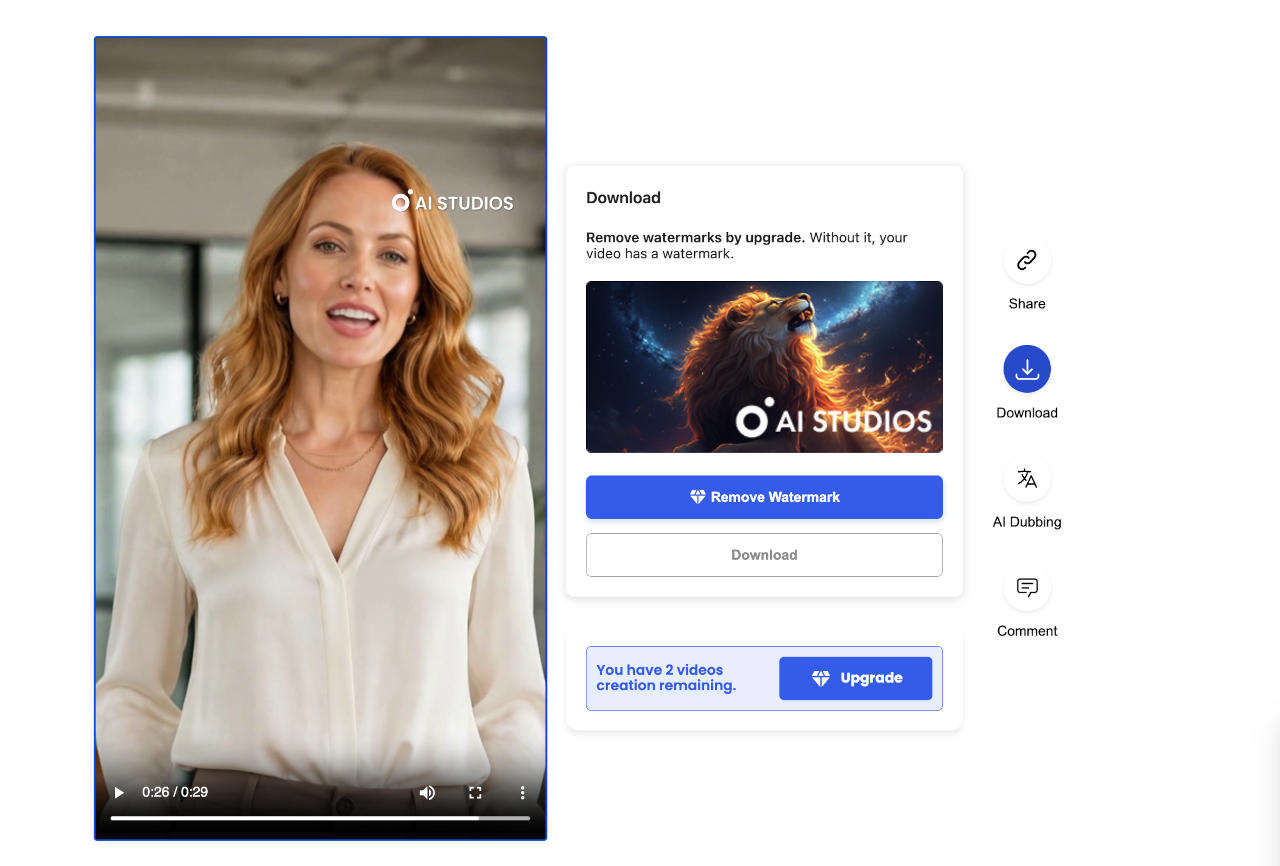
I chose Nova, a presenter in a white blouse in front of a softly blurred office. In the editor she looked sharp, exactly the polished tone I wanted for a publication.
After rendering, though, the cracks showed. Her mouth often drifted away from the words, her expressions didn’t match what she was saying, and her upper body barely moved. A second render improved things slightly, but not enough to pass as a real person.
A realistic-looking avatar isn’t the same as a realistic-moving one.
DeepBrain has a feature called Natural Avatar Motion that’s meant to fix this, but I couldn’t access it on the free plan, so I can’t say whether it works.
The voice was the real letdown
I picked Emily, an American English voice. In the preview she sounded fine. In the finished video there was a metallic, processed edge, and the lip-sync problems made it worse. Fine-tuning controls are locked behind a paid plan.
For a how-to or internal training clip, I could live with that. For a video meant to introduce a publication people should trust, I couldn’t. Viewers forgive a stiff gesture much faster than a voice that sounds fake.
What it costs
There’s a free plan, and I used it. It gave me three video creations, up to one minute per export, and 1080p output. The catch is a visible AI Studios watermark, which only an upgrade removes. That’s fine for testing, but not for anything you’d publish under your brand.
Paid plans start at $29 a month for Personal ($24 if billed annually), and a Team plan was listed at $69 per seat when I checked. Because the better motion and voice tools sit behind that paywall, there’s no easy way to know how much better the paid version is without paying.
What other users say
Opinions are split. On G2 it holds about 4.3 out of 5 from over a thousand reviews, and Capterra shows around 4.5, with users praising ease of use and time saved. Trustpilot is far harsher at roughly 2.8 from 228 reviews, with complaints about rendering problems, pricing and support. Those sites attract different kinds of reviewers, so treat each score as one signal.
Who it’s for
AI Studios makes sense if you need lots of tidy, structured videos fast: staff training, multilingual explainers, product walkthroughs. In those cases, speed matters more than a perfectly human delivery, and a reusable avatar saves real work.
It’s a weaker fit if your video depends on a presenter people believe. That was my case, and on the free plan it didn’t deliver.
My verdict
I did get a complete vertical promo video without a camera, a microphone or a presenter, and that’s impressive. But the two things I cared about most, natural speech and believable lip-sync, weren’t good enough, and the free plan gave me no reason to pay.
If you’re tempted, test the exact avatar, voice and motion settings you plan to use before you subscribe. And if you do try it.
I tested the free plan only, using the Nova avatar and Emily voice. I didn’t try Natural Avatar Motion. Prices and ratings were checked on October 14, 2026 and may have changed.