
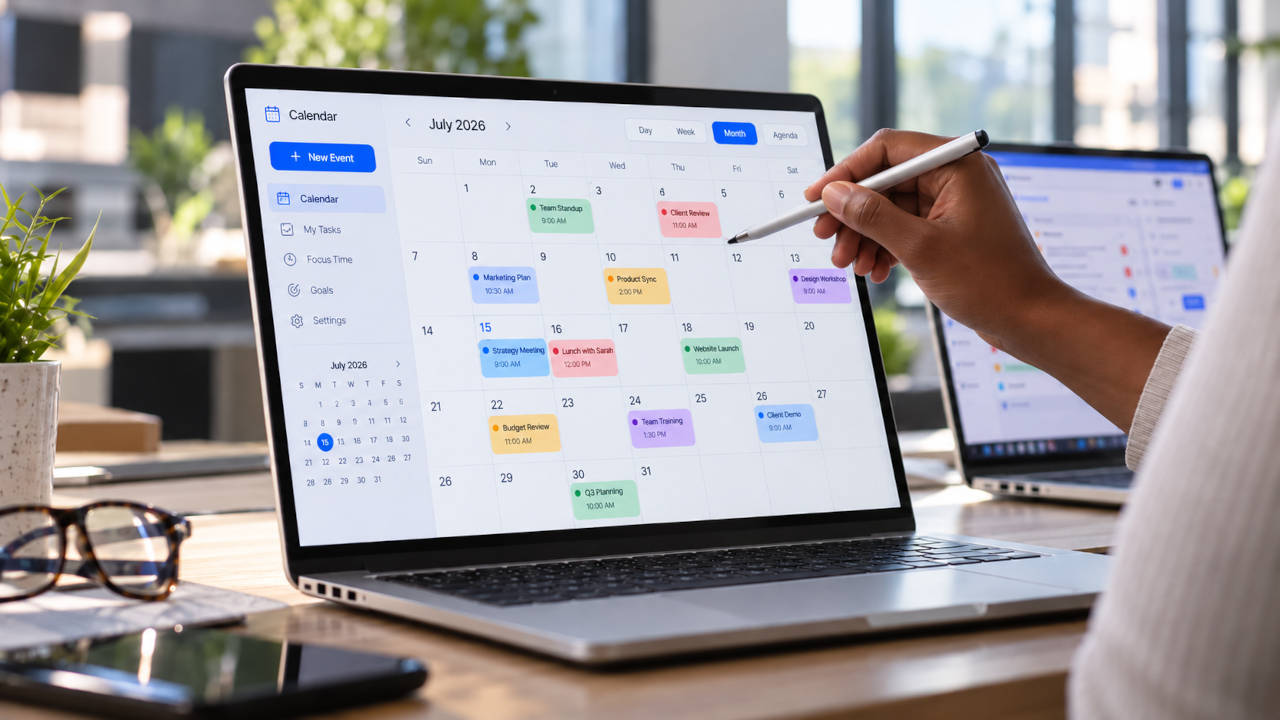
Just the other day I caught myself wishing for a planner that wasn’t on my phone, where the screen is tiny, or on a computer I have to switch on first. I wanted something that’s simply always there. I forget things. I miss important moments. Worse, the new ideas I’m excited about, the ones that aren’t routine duties, tend to get swallowed by the day-to-day and vanish. Without a plan, they never happen.
Then I came across the Apolosign 27″ Digital Calendar, and I haven’t stopped thinking about it since.
I haven’t bought it yet, but I’m planning to. Here’s why, and what other people who own one say about it.
One screen for the whole household
The big idea is that it’s built for a family, not for one person. Everyone’s plans live in one place, where they can be shared, adjusted and agreed on. You can set deadlines and priorities. Kids can join in with chores and earn rewards, which turns “clean your room” into something closer to a game.
And you can forget the “can you pick something up on your way home?” phone call. Add it to the calendar, and your husband sees it on his phone. Apolosign also has a shared grocery list, meal planning where you can put together your own menus, and a family photo screensaver. It syncs with Google Calendar both ways, and iCloud can work two ways as well.
The kitchen is where I can picture it earning its place. You plan the week’s menu, check the grocery list, and then watch YouTube on the same screen while you cook, so a recipe video is right in front of you instead of on a phone propped against the sugar jar.
Writing this, I realized that’s the real appeal. A calendar on your phone only helps if you open it. A big one on the kitchen wall tells you, just by walking past, that someone has a dentist appointment tomorrow. WIRED’s reviewer started out skeptical about the whole category and ended up with the same conclusion, that having the family’s calendar always visible in the kitchen simply works.
No monthly subscription
This is one of my favorite things about it. Calendar features, chores, rewards, to-do lists and the photo screensaver all work without a subscription. Some competitors, Skylight for one, hold features like meal planning and rewards behind a yearly fee. With Apolosign you pay once for the screen and that’s it.
It’s also a full Android tablet
The 27-inch is a real Android display with Google Play. If you’d rather not use Apolosign’s own calendar, you can install other apps, add widgets and build your own dashboard. Some owners use it for Home Assistant, even for security camera feeds. One of them replaced an Amazon Fire tablet and said it looked like a proper fixture on the wall rather than a tablet stuck to it.
What owners say
Most of the feedback is warm:
- Trustpilot shows around 4.8 out of 5 from more than 300 reviews.
- Owners keep mentioning that the screen looks good and intentional, not like a generic tablet. It has an anti-glare matte finish, which helps in a bright kitchen.
- One nursing student used it to merge Google calendars with her partner, plan meals and keep the grocery list in one place. She liked that there was no subscription.
The honest downsides
It’s not perfect, and I’d rather you hear that from me. These are the details as of writing, and I hope Apolosign will address these shortcomings and fix the software in an upcoming update.
- The phone app is the weak spot. The iPhone app sits around 3.0 out of 5, and the Android app a little above that. People mention loading problems when away from home, basic to-do options and limited routine customization. A redesigned 2.0 app has recently come out, so this may be improving.
- It’s less polished than Skylight. WIRED found Apolosign harder to set up and less intuitive, though it praised the lack of a paywall. If you want something you plug in and never think about, Skylight may suit you better.
- Outlook syncs one way. You’ll see Outlook events on the screen, but changes made there don’t go back to Outlook.
- Some touchscreen lag. One owner reported it occasionally.
- 27″ is big. It’s wonderful across a room, but it’s a lot of screen for a small kitchen. Smaller sizes exist, and there’s a 4K version if you want it mainly for photos and dashboards.
Who it’s for
If you want a simple calendar and nothing else, look at Skylight too. If you like having a big, always-on screen that can be a family planner today and a photo frame or smart-home panel tomorrow, with no monthly bill, Apolosign is hard to beat.
For me, the best part is the idea of finally seeing my plans, my family’s plans and my new ideas all in one place, where I can’t lose them.