
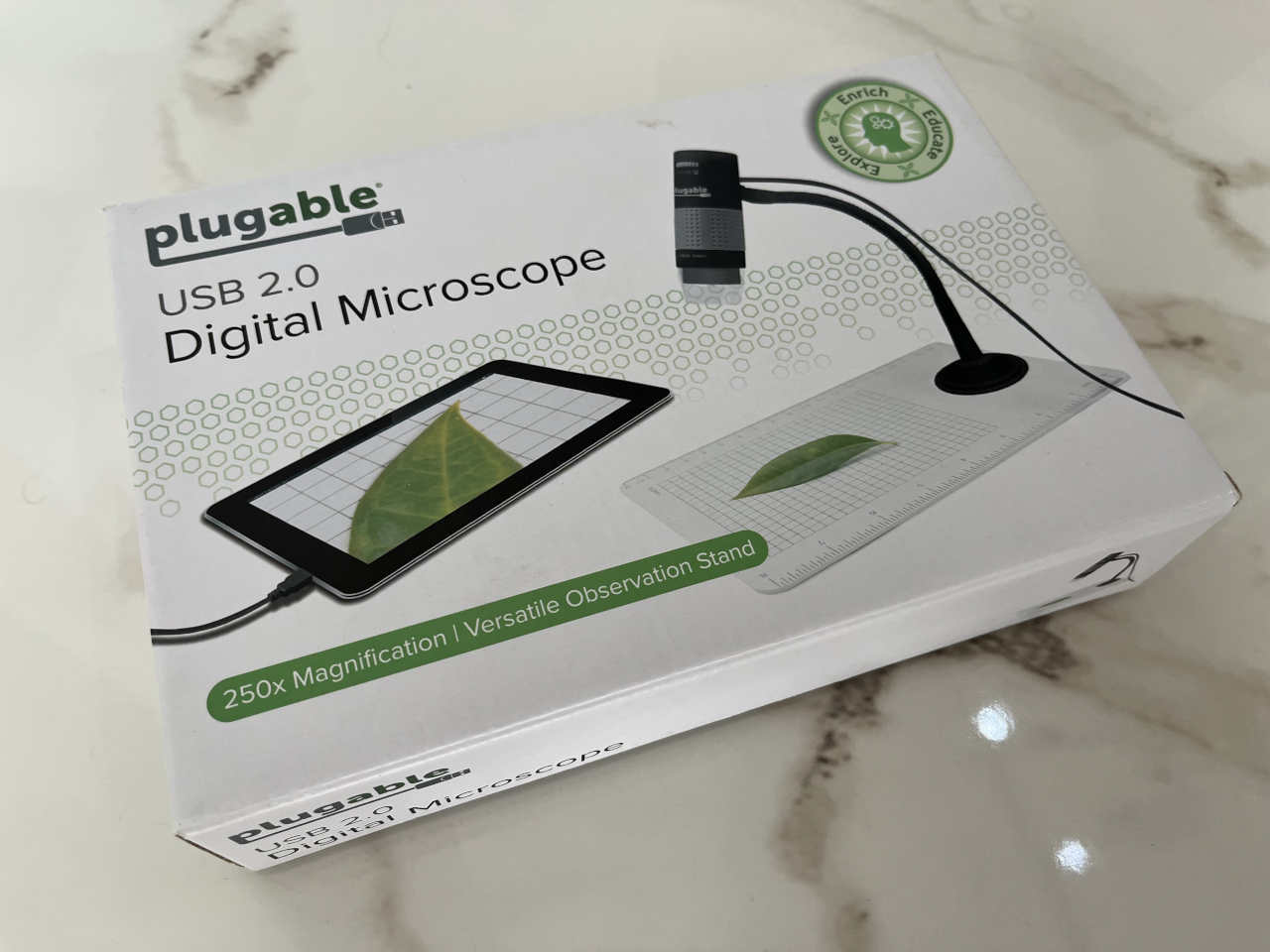
There are tools you buy for one job and then discover that they are useful for ten others.
The Plugable USB Digital Microscope has been that kind of tool for me.
I bought mine mainly for electronics repair. When you are working with modern circuit boards, a normal magnifying glass quickly reaches its limits. Component markings become tiny, solder joints become smaller, and a defect that is obvious under magnification can be almost invisible to the naked eye.
Connect this microscope to a computer, position the board underneath it, and suddenly the work becomes much easier.
What makes the Plugable particularly useful is that it is not confined to electronics. The same device makes sense on an engineer’s bench, in a technician’s toolbox, in a classroom, in a small laboratory or simply on a teenager’s desk.
It is serious enough to be genuinely useful, but simple enough to make a very good introduction to microscopy.
What it is
The current model is the Plugable USB2-MICRO-250X, a compact 2-megapixel digital microscope that connects directly to a computer or compatible tablet.
Plugable specifies approximately 60× to 250× magnification, a maximum still-image resolution of 1600 × 1200 pixels, integrated adjustable LED illumination and a flexible observation stand.
Plugable USB2-MICRO-250X specifications
The microscope itself is only about 9 cm long and weighs around 84 grams. It draws power directly from USB, so there is no separate battery or charger to remember.
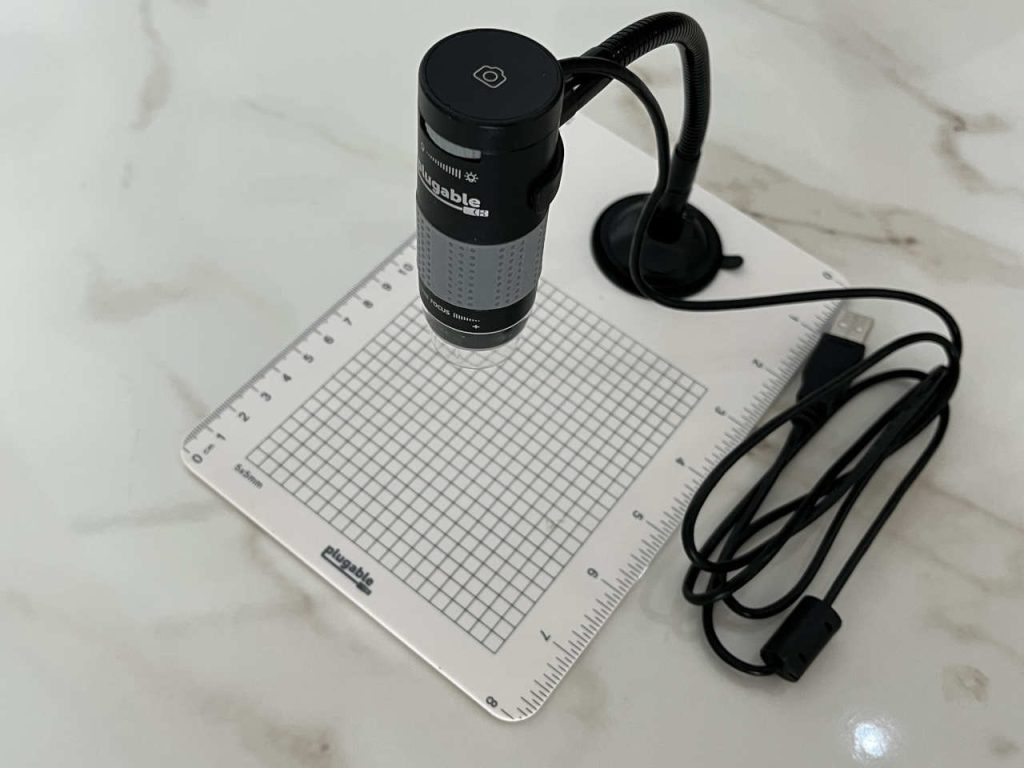
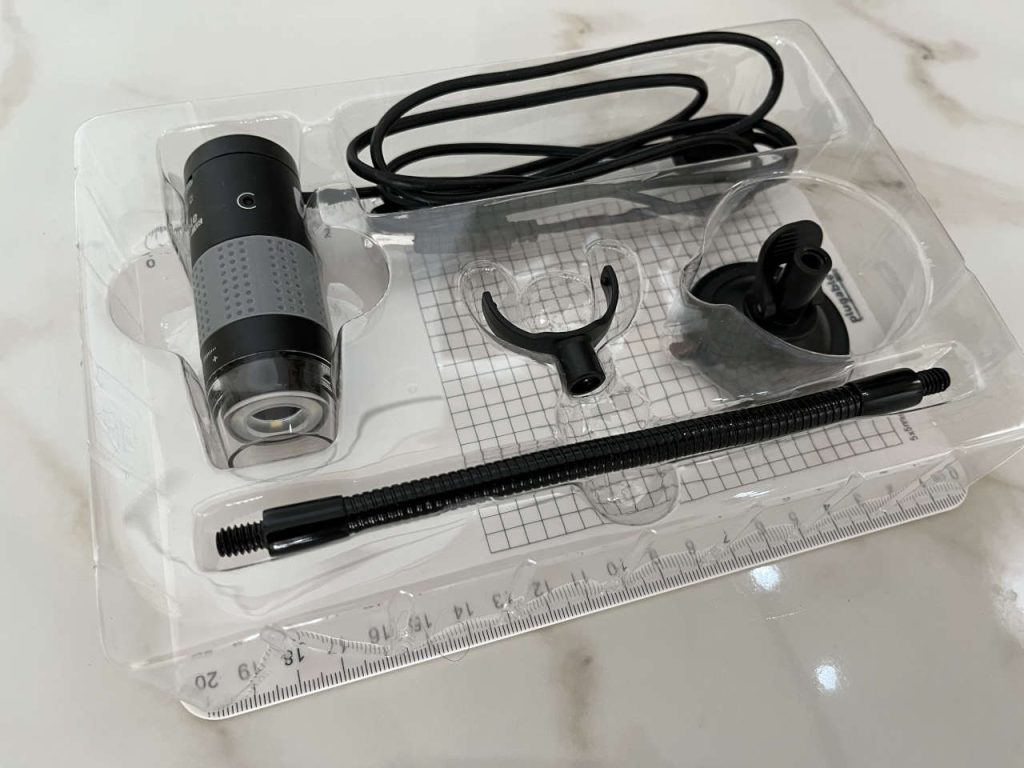
My kit includes the microscope, flexible gooseneck stand, suction base, observation plate and holder. The current version also supports both USB-A and USB-C connections.
What I particularly like is that it behaves much like a standard USB camera. On macOS, Windows and other supported systems, the computer sees the microscope as a video device rather than some exotic laboratory instrument.
That makes the whole thing refreshingly straightforward.
The magnification works differently from a traditional microscope
One detail is worth understanding before using it.
The large ring on the body adjusts focus, but the effective magnification also depends on how far the microscope is from the object.
Raise the microscope and you see a wider area.
Bring it closer and the image becomes progressively more magnified.
At very close working distances the microscope can reach its highest magnification. Plugable explains that, with the transparent end of the microscope close to the subject, there are actually two usable focus positions: one around 60× and another reaching approximately 250×.
That is exactly what makes the flexible stand useful. Instead of selecting a number on a zoom dial, I position the microscope at the height that gives me the field of view I want and then bring the image into focus.
For repair work, this is often more practical than thinking in terms of an exact magnification number.
Sometimes I want to see an entire section of a PCB.
Sometimes I want one eight-pin IC filling most of the screen.
The same microscope can do both.
Why I bought it: electronics repair
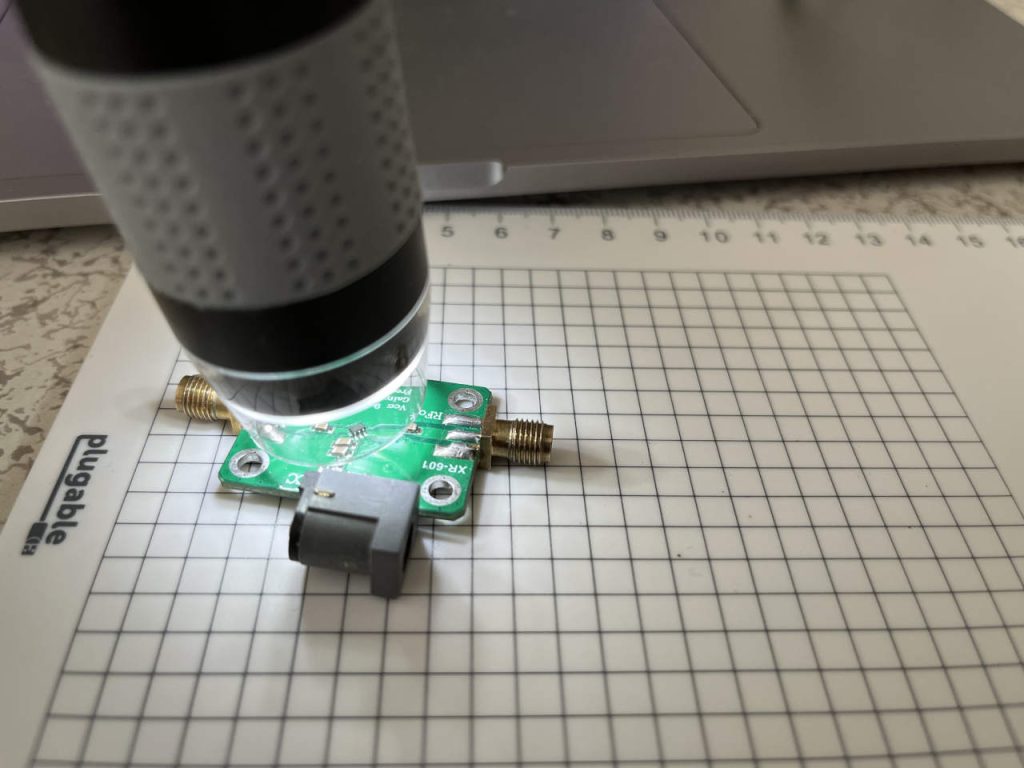
For me, this is first and foremost a bench tool.
Modern electronics contain components that are simply too small to inspect comfortably without magnification.
The advantage of a digital microscope is that I am looking at a large computer screen rather than trying to keep one eye aligned with a small optical eyepiece.
That changes the way you work.
You can move around the board, stop at something interesting, take a picture, compare it with another board or keep the image for documentation.
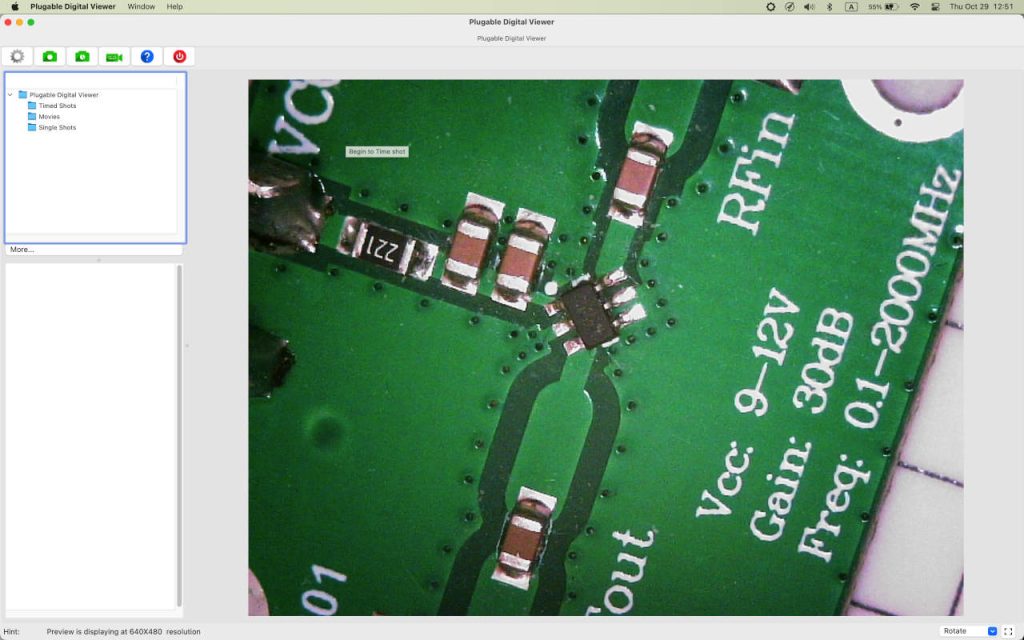
The photographs from my own microscope show exactly why I find it useful. At a moderate working distance I can see a useful section of the circuit. Move the microscope closer and the individual IC pins, solder joints and ceramic capacitors become large enough to inspect in detail.
For troubleshooting, that is often all you need.
SMD components become readable
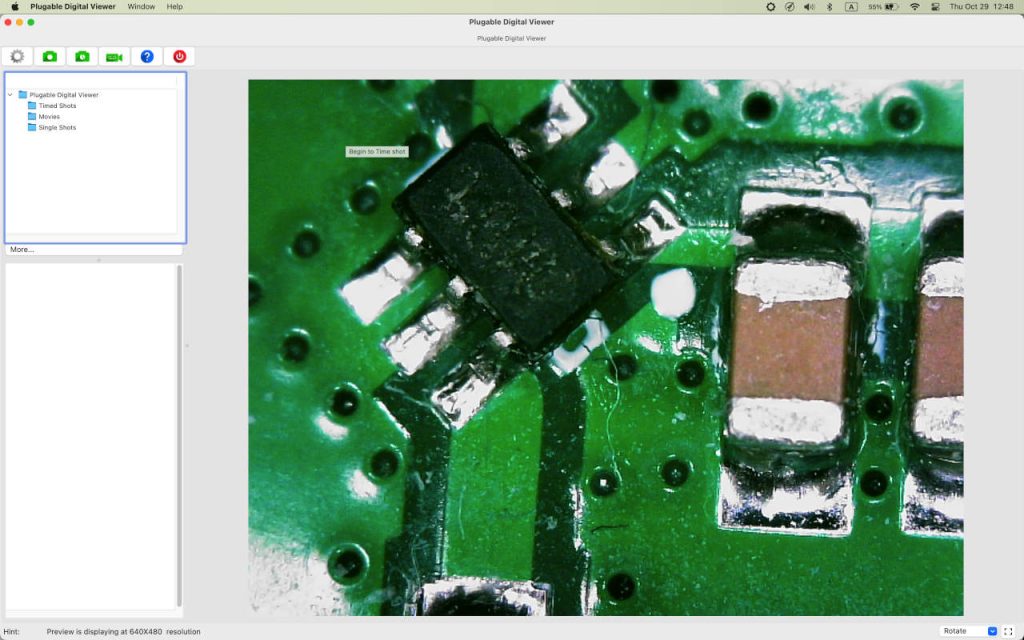
One of my example boards contains tiny surface-mount components around an eight-pin IC.
To the naked eye, the whole area occupies very little space.
Under the microscope, individual solder joints are clearly separated. You can follow traces, examine where a pin meets its pad and look closely at the surrounding components.
At higher magnification, even the surface texture of the solder and PCB becomes visible.
That is particularly useful when repairing equipment where a suspected problem may be mechanical rather than electrical: a damaged joint, lifted pad, cracked component or contamination around fine pins.
It is also useful after repair.
Instead of simply assuming a soldering job looks acceptable, you can inspect it immediately on a large screen.
The built-in light matters
Close-up work needs light.
The Plugable has an LED halo around the lens with adjustable brightness. The illumination is powered directly through USB, and brightness is controlled from the microscope itself.
Plugable uses a diffuser around the LEDs to spread the illumination more evenly across the subject, which is especially helpful with reflective surfaces.
On a circuit board this means I do not normally need to arrange a separate bench light specifically for the microscope.
I can put a board under the lens, adjust the light, focus and start inspecting.
That simplicity matters more than it sounds. A tool that takes five minutes to set up tends to stay in a drawer. This one can be ready almost immediately.
You can take photographs and video
The microscope is not just a live magnifier.
It can capture still photographs and video through compatible camera software.
The current Plugable specifications list 1600 × 1200 JPEG still images and video capture through its USB camera interface.
There is also a touch-sensitive capture control on the top of the microscope.
That is a clever detail because pressing a mechanical shutter button at high magnification could move the camera enough to disturb the picture. The touch control requires very little force.
For repair work, saving images is genuinely useful.
That turns a simple magnifier into a documentation tool.
It works well with macOS
I use the Plugable with a Mac, and my photographs show the company’s Plugable Digital Viewer software running with a live PCB image.
The interface is simple: the live microscope picture occupies most of the screen, while controls allow you to capture still images, video and timed shots.
Plugable also supports ordinary UVC-compatible applications. On macOS, for example, the microscope can work with standard camera software because the computer recognizes it as a USB video device.
The same principle applies to Windows.
Current compatibility extends to Windows, macOS, ChromeOS, Linux and many Android devices. USB-C iPads running recent iPadOS versions can also use the microscope with compatible third-party camera software.
That broad compatibility makes it much easier to reuse the microscope when you change computers.
Not just for technicians
Electronics was my reason for buying it, but it is easy to imagine this microscope being useful in many other jobs.
An engineer can use it for PCB inspection, mechanical surfaces, manufacturing samples and small parts.
A repair technician can examine soldering, connector contacts, traces, wear, damage and component markings.
A scientist or laboratory worker can use it for quick digital inspection of samples where this level of magnification is appropriate.
A jeweler or collector can examine surface details, hallmarks, coins and stamps.
Someone sharpening tools can inspect an edge.
A student can examine leaves, fibres, paper, insects, minerals, printed material and countless objects that look completely different once enlarged.
An independent Techaeris review came to much the same conclusion, describing the Plugable as an easy-to-use and affordable way to explore ordinary objects in much greater detail.
A surprisingly good educational tool
This may be one of its most overlooked uses.
Give a teenager a traditional microscope and there is usually a procedure involved: slides, lighting, eyepieces and carefully prepared samples.
Put an object under a USB microscope and the result immediately appears on a laptop screen.
A leaf becomes a landscape.
Printed paper becomes a pattern of ink and fibres.
A strand of fabric becomes a bundle of individual threads.
A coin that looks smooth suddenly has scratches, marks and machining detail everywhere.
A PCB becomes a miniature city of copper tracks and components.
The ability to capture pictures adds another dimension. A student can build a collection, compare specimens or use the images in a school project.
That makes the Plugable more than a technical tool.
I think it would make an unusually good birthday present for a curious teenager, especially someone interested in science, electronics, engineering, biology, geology or collecting.
Instead of another gadget that mainly consumes content, this one encourages you to investigate things.
There is a lot of real owner feedback
This model has been around for years, so there is considerably more user history behind it than with many inexpensive USB microscopes.
Plugable’s current product catalog surfaces more than 6,500 Amazon reviews for the USB2-MICRO-250X.
There is also a useful body of verified-purchase feedback on eBay. The current product page shows an overall rating of about 4.6 out of 5 from 99 product ratings.
What I find more interesting than the number itself is what people actually use it for.
One verified buyer describes using it to identify coins and examine jewelry and says it had paid for itself through those applications.
Another specifically uses it to read numbers on surface-mount electronic components, diodes and resistors.
Another owner uses it for inspecting knives and razors while sharpening.
Others mention coins, close-up photography and general inspection.
Those are exactly the kinds of applications that make this product interesting. There is no single job it has to perform to justify its place on the desk.
What comes in the kit
The observation system is simple but useful.
The microscope clips into a holder attached to a flexible gooseneck. The gooseneck sits on a suction-cup base positioned on the supplied measurement plate.
The plate gives you a grid and rulers for reference.
Because the neck is flexible, you can change both the height and angle quickly.
That is especially useful because height directly affects the microscope’s field of view and magnification.
For something large, I raise it.
For PCB detail, I bring it down.
For maximum close-up inspection, the lens can be positioned very close to the object.
The microscope can also be removed from the stand and used by hand when that is more convenient.
A 2-megapixel sensor is enough to be useful
Modern phones have trained us to expect enormous camera-resolution numbers.
That is not really the point here.
The Plugable uses a 2 MP sensor, with still-image capture up to 1600 × 1200. What matters is that those pixels are looking through optics positioned millimetres or centimetres from the object.
A tiny component that might occupy only a few pixels in an ordinary photograph can fill a large part of the screen.
My own PCB images demonstrate the difference clearly.
In the wider image, the microscope shows the IC in context with surrounding traces and components.
At the closer working distance, the same package becomes large enough that individual leads, solder fillets, PCB vias and nearby passive components are clearly visible.
That is exactly what I bought it to do.
Verdict
With adjustable working distance, up to roughly 250× magnification, a 2 MP camera, built-in illumination, image capture and broad computer compatibility, it is useful anywhere you need to see small details on a large screen.
And if I were looking for a birthday present for a teenager who likes taking things apart, collecting specimens or asking how things work, I would happily put this on the list.
Some tools solve one problem.
This one makes you start looking for things to examine.