
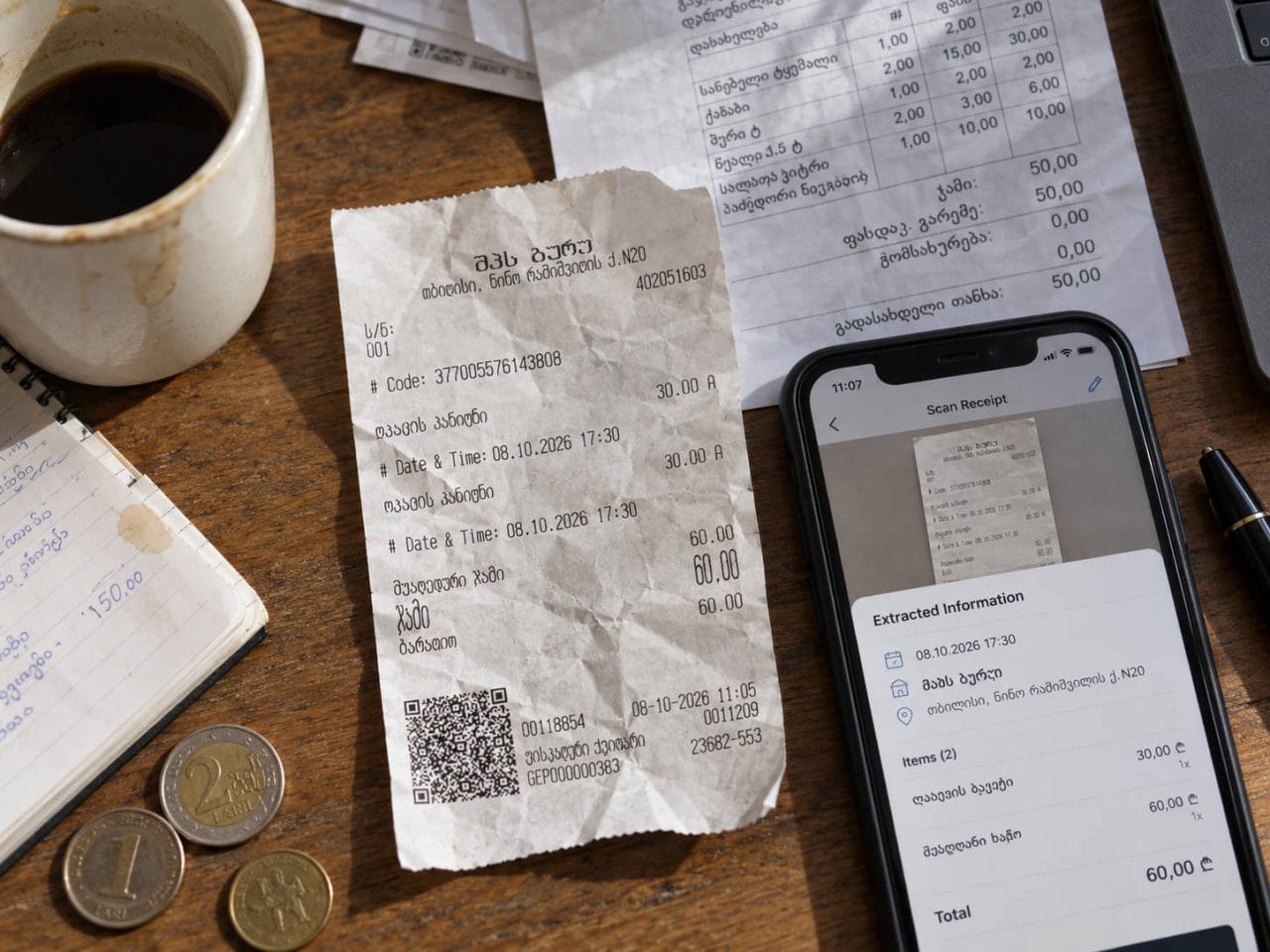
I tend to wince when a receipt app says it is “AI-powered.” Reading a crisp supermarket receipt shot under good light proves nothing. The harder test is a crumpled, sideways receipt in another language, where the app still has to work out the currency, split the line items and get the accounting right.
So I gave SparkReceipt exactly that.
The receipts: where it earned my attention
I started with two photographed receipts from Georgia. Both went in sideways, both were printed in Georgian, and I rotated and cleaned up neither.
SparkReceipt didn’t ask me to. On the 50 GEL receipt it picked out the date and currency, found all five line items, and got every quantity, unit price and line total right. The five amounts added up to the printed total. The second receipt, a messier 60 GEL one, was also read correctly: two 30 GEL charges and the right total. It couldn’t produce meaningful unit prices, but the receipt never gave it the structure to do so.
It also converted both from GEL into the USD base currency I’d set for the account, without being prompted. That was when I stopped being merely curious. Receipts like these are where scanning apps usually fall over.
Digital invoices: right numbers, wrong direction
Next came ordinary PDF invoices. The numbers held up. A Groq invoice for $0.85 came through with the correct date, currency, reference number and both API usage lines ($0.61 and $0.24).
What I hadn’t expected was how much depends on the category you choose before uploading. When I processed invoices under Income, SparkReceipt read them in that light and treated the customer as the one paying. The figures were accurate, but the accounting direction was backwards.
Filing the same documents under Expenses fixed it. Groq was identified as the merchant and tagged as a subscription. A Wizz Air invoice was recognized as a flight ticket from the airline, filed under Transportation and Travel, and its 1,328.55 GEL total was handled correctly.
The reading was excellent, but the app can only interpret a document as well as the context you give it.
Fixing mistakes
Mistakes are cheap to correct. Switching a document from Income to Expenses moved the amount from money-in to money-out on the dashboard straight away. Merchant, document type and category sit in editable fields next to the original document, so checking an import never felt like a fight with the software. I’d still look over anything important before calling the books finished.
The bank statement experiment
SparkReceipt can also pull transactions from bank statements and try to match them against stored receipts. I made it harder by uploading only the summary page of a six-page Bank of America statement.
It correctly read the deposits, debit-card deductions and service-fee totals. Because the transaction pages weren’t there, it built aggregate entries from the summary instead of inventing individual purchases. I appreciated that restraint, and it’s a fair reminder that no software can recover detail the source never contained.
So, is it worth paying for?
The interface is clean and the onboarding is clearer than most. Receipt scanning was the strongest part of my test by some distance.
When I tried it, Pro was $6.90 a month or $69 a year, and Elite was $12.90 a month or $129 a year, with a seven-day trial. Check the current prices before you commit, since they may have changed.
If you’re a freelancer or small business owner buried in paper receipts, emailed invoices and expenses in several currencies, I can see the appeal. What won me over wasn’t that it could read a receipt. It handled the ones I expected to cause trouble.
It won’t replace an accountant, and I wouldn’t leave it unsupervised. But as a way to turn a pile of messy expense documents into searchable, structured records with far less typing, it did better than I expected. So will it save me money? It will certainly save me time, and for most people that’s where the money comes back.